
2025 Comparison

Wordable vs. BlogSync

Choosing between BlogSync and Wordable for your publishing needs?

Both platforms aim to streamline the process of converting documents and publishing to WordPress, but they offer distinctly different approaches and capabilities. Here’s a detailed comparison to help you make the right choice.

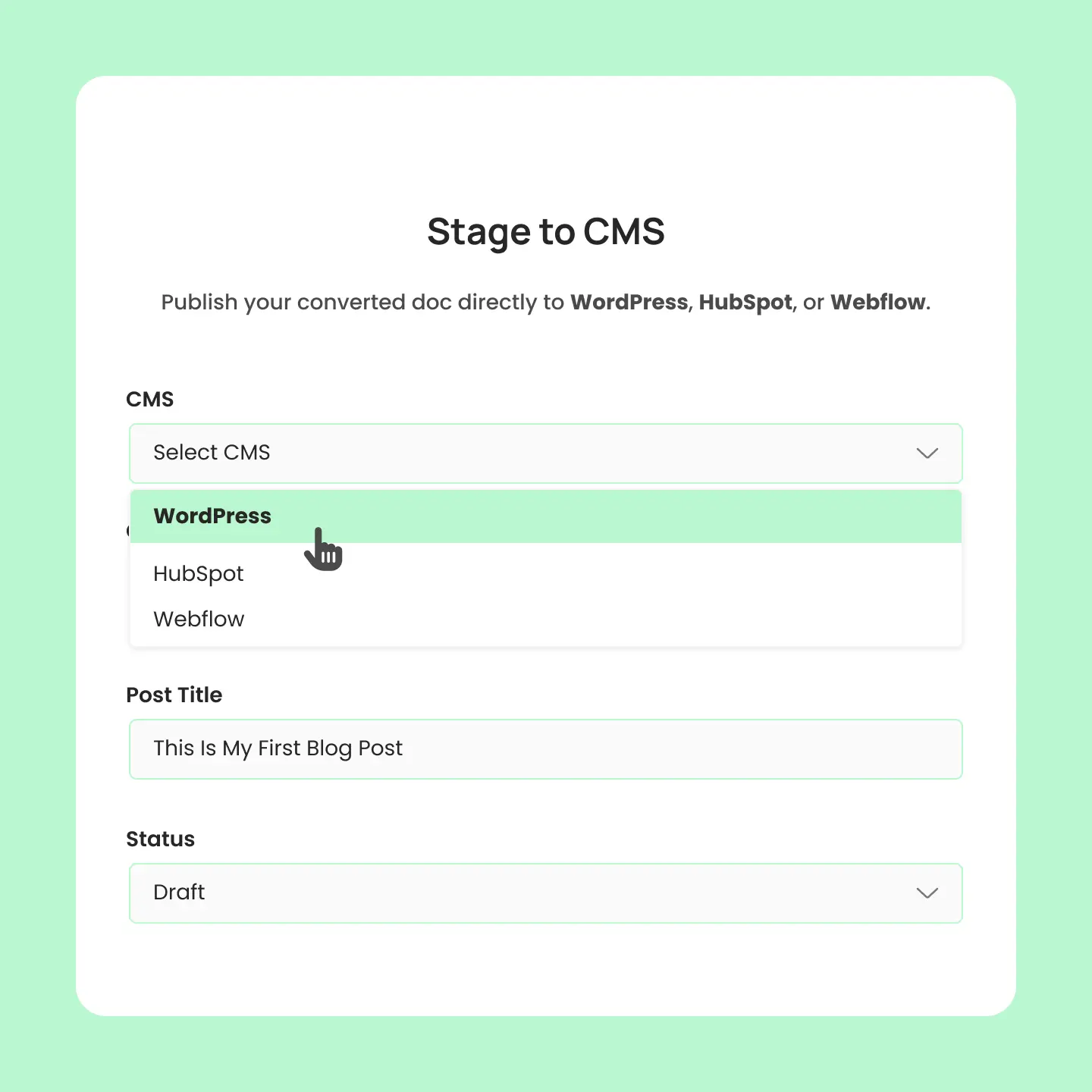
Stage docs to your cms

BlogSync vs. Wordable

How do they compare?

Both platforms streamline document-to-CMS publishing, but they're designed for different workflows. Here's how to choose the right solution based on your platform needs and publishing goals.

Choose BlogSync if you want ...

Checkmark Icon

Need multiple platforms (WordPress + HubSpot + Webflow)

Checkmark Icon

Want AI-powered features

Checkmark Icon

Support for both Word docs and Google Docs

Checkmark Icon

Want unlimited exports

Checkmark Icon

Prefer U.S.-based support

Choose Wordable if you want...

Checkmark Icon

Publish occasionally (under 10 articles/month)

Checkmark Icon

Only use Google Docs to WordPress

Checkmark Icon

Want the most affordable option for light usage

Checkmark Icon

Don't require multi-platform support

Checkmark Icon

Don't care about priority support

Free

TemplateFlow delivers the foundational pieces to construct professional layout.

$0

/Yearly

tick-icon

Budgeting and Expense Tracking

Pro

TemplateFlow supplies the necessary resources to sleek and professional layout.

$99

/Yearly

tick-icon

Budgeting and Expense Tracking

tick-icon

Automated Investing

tick-icon

Unlimited Activity Notifications

tick-icon

Credit Score Monitoring

tick-icon

Bank Transaction Imports

At a glance

Overview

See how BlogSync and Docswrite stack up across key features, integrations, and capabilities to make the right choice for your workflow.

Features

Google Docs support

Microsoft Word (.docx) support

Real-time processing

File support

Export limits

Browser extension

Integrations

WordPress integration
(publish to WordPress)

HubSpot integration
(publish to HubSpot)

Webflow integration
(publish to Webflow)

Medium integration

Zapier integration

Image processing

AI image optimization

Image deduplication

AI-powered alt tag and image naming

Organization management

Organization accounts

Audit trail

Role-based permissions

Plugin support

SEO plugin support (e.g., Yoast)

Plugin required

BlogSync
Check Icon
Check Icon

Live progress updates

Up to 50MB

Up to unlimited exports

Check Icon
Check Icon
Check Icon
Check Icon
Check Icon
Check Icon

WebP conversion

Check Icon
Check Icon

Enterprise structure

Complete conversion history

Check Icon
Check Icon

Web-based (no WordPress plugin needed)

Wordable
Check Icon
Check Icon

Standard processing

Limited file sizes

Up to 50 exports per month

Check Icon
Check Icon
Check Icon
Check Icon
Check Icon
Check Icon

Basic compression only

Check Icon
Check Icon

Individual accounts only

Basic export history

Check Icon
Check Icon

WordPress plugin required

Detailed comparision

Let's dive deeper

From CMS support and document formats to AI-powered features and team management, see exactly how these platforms compare across every category that matters.

CMS Support

CMS support is where BlogSync truly shines compared to Wordable’s limited scope.While Wordable restricts users to Google Docs only and focuses primarily on WordPress, BlogSync offers complete flexibility with both Word documents (.docx) and Google Docs, plus comprehensive integrations with WordPress, HubSpot, and Webflow.

This multi-platform approach means content teams can maintain consistent workflows across their entire tech stack instead of juggling multiple conversion tools.

BlogSync

Checkmark Icon

WordPress: Full integration

Checkmark Icon

HubSpot: Landing pages, blog posts, website pages

Checkmark Icon

Webflow: Complete CMS integration

Checkmark Icon

Document Types: Word documents (.docx) AND Google Docs

Wordable

Checkmark Icon

WordPress: Full integration

Checkmark Icon

HubSpot: Full integration

Checkmark Icon

No Webflow: WordPress, HubSpot, and Medium supported

Checkmark Icon

Document Types: Google Docs ONLY

Free

TemplateFlow delivers the foundational pieces to construct professional layout.

$0

/Yearly

tick-icon

Budgeting and Expense Tracking

Pro

TemplateFlow supplies the necessary resources to sleek and professional layout.

$99

/Yearly

tick-icon

Budgeting and Expense Tracking

tick-icon

Automated Investing

tick-icon

Unlimited Activity Notifications

tick-icon

Credit Score Monitoring

tick-icon

Bank Transaction Imports

Trophy Icon

Winner: BlogSync – More CMS platforms and document format flexibility

Pricing

The pricing structures reveal dramatically different approaches to value delivery. Wordable offers competitive annual pricing with their Basic plan at $29/year ($2.42/month) for 10 exports monthly, making it attractive for occasional publishers. However, their export limits become restrictive quickly (even their Premium plan at $349/year caps at 50 exports monthly).

BlogSync takes a different approach with monthly pricing that includes no export restrictions, focusing on providing unlimited usage within plan limits rather than counting individual publications. For teams publishing regularly, BlogSync’s unlimited exports can provide better long-term value despite higher monthly costs.

Wordable’s export limits mean heavy publishers might hit restrictions and need to upgrade frequently, while BlogSync’s $49/month Pro plan allows 25 posts.The key difference lies in predictability; BlogSync offers consistent monthly costs regardless of publishing volume, while Wordable’s annual commitment with export caps may create workflow constraints for growing content teams.

BlogSync

Checkmark Icon

Beginner: $29/month (10 posts, 50 images, 1 user, unlimited exports)

Checkmark Icon

Pro: $49/month (25 posts, 250 images, 3 users, unlimited exports)

Checkmark Icon

Platinum: $99/month (Unlimited posts, 1,000 images, unlimited users, unlimited exports)

Wordable

Checkmark Icon

Basic: $29/year (5 sites, 2 users, 10 exports/month)

Checkmark Icon

Pro: $149/year (50 sites, 5 users, 20 exports/month)

Checkmark Icon

Premium: $349/year (unlimited sites, 10 users, 50 exports/month)

Free

TemplateFlow delivers the foundational pieces to construct professional layout.

$0

/Yearly

tick-icon

Budgeting and Expense Tracking

Pro

TemplateFlow supplies the necessary resources to sleek and professional layout.

$99

/Yearly

tick-icon

Budgeting and Expense Tracking

tick-icon

Automated Investing

tick-icon

Unlimited Activity Notifications

tick-icon

Credit Score Monitoring

tick-icon

Bank Transaction Imports

Trophy Icon

Winner: Wordable for light users, BlogSync for heavy publishers

Image processing

Image optimization represents one of the most significant gaps between these platforms.BlogSync leverages OpenAI’s advanced language models to automatically generate SEO-friendly, contextually relevant filenames, while also providing automatic WebP conversion.

These features collectively reduce image file sizes by over 80% while maintaining visual quality.Wordable offers only basic compression and manual alt text editing, requiring users to handle most optimization tasks manually.

BlogSync

Checkmark Icon

AI-Powered Naming: OpenAI integration for SEO-friendly filenames

Checkmark Icon

Smart Deduplication: MD5-based content detection prevents duplicates

Checkmark Icon

WebP Conversion: Automatic format optimization

Wordable

Checkmark Icon

Basic Compression: Standard image resizing

Checkmark Icon

Manual Alt Text: Limited automation

Checkmark Icon

Basic Upload: Simple media library integration

Free

TemplateFlow delivers the foundational pieces to construct professional layout.

$0

/Yearly

tick-icon

Budgeting and Expense Tracking

Pro

TemplateFlow supplies the necessary resources to sleek and professional layout.

$99

/Yearly

tick-icon

Budgeting and Expense Tracking

tick-icon

Automated Investing

tick-icon

Unlimited Activity Notifications

tick-icon

Credit Score Monitoring

tick-icon

Bank Transaction Imports

Trophy Icon

Winner: BlogSync – Advanced AI features vs. basic functionality

Team features

Enterprise-level collaboration capabilities set BlogSync apart as a platform built for modern content teams rather than individual users. BlogSync’s organization-based account structure provides granular role-based permissions and shared platform connections that enable seamless team collaboration.

Wordable’s team features feel like an afterthought, offering only basic multi-user access without sophisticated permission management or organizational structure — a significant limitation for agencies or enterprises with complex approval workflows.

BlogSync

Checkmark Icon

Organization Management: Team-based account structure

Checkmark Icon

Role-Based Access: Owner, admin, member permissions

Checkmark Icon

Conversion History: Complete audit trail

Wordable

Checkmark Icon

Basic Teams: Limited collaboration features

Checkmark Icon

Shared Access: Basic multi-user support

Checkmark Icon

Export History: Simple document tracking

Free

TemplateFlow delivers the foundational pieces to construct professional layout.

$0

/Yearly

tick-icon

Budgeting and Expense Tracking

Pro

TemplateFlow supplies the necessary resources to sleek and professional layout.

$99

/Yearly

tick-icon

Budgeting and Expense Tracking

tick-icon

Automated Investing

tick-icon

Unlimited Activity Notifications

tick-icon

Credit Score Monitoring

tick-icon

Bank Transaction Imports

Trophy Icon

Winner: BlogSync – Enterprise-grade team management

User experience

BlogSync operates as a modern web application with real-time processing updates, support for files up to 50MB, and the ability to publish directly to your connected CMS from a single dashboard. Wordable’s plugin-dependent approach requires installing WordPress plugins on every site, lacks real-time feedback, and forces users to repeat the export process for each destination.

BlogSync

Checkmark Icon

Real-Time Processing: Live progress updates during conversion

Checkmark Icon

Large File Support: Handles documents up to 50MB

Checkmark Icon

Direct CMS Publishing: Publish to directly to your connected CMS

Wordable

Checkmark Icon

Basic Processing: Standard conversion without real-time updates

Checkmark Icon

WordPress Plugin Required: Must install plugin on each WordPress site

Checkmark Icon

Limited Customization: Basic formatting options

Free

TemplateFlow delivers the foundational pieces to construct professional layout.

$0

/Yearly

tick-icon

Budgeting and Expense Tracking

Pro

TemplateFlow supplies the necessary resources to sleek and professional layout.

$99

/Yearly

tick-icon

Budgeting and Expense Tracking

tick-icon

Automated Investing

tick-icon

Unlimited Activity Notifications

tick-icon

Credit Score Monitoring

tick-icon

Bank Transaction Imports

Trophy Icon

Winner: BlogSync – More sophisticated technology and user experience

Bottom line

Which should you choose?

The choice between BlogSync and Wordable depends primarily on your platform needs and publishing workflows.

Wordable excels for occasional publishers who work exclusively with Google Docs and WordPress, particularly those publishing fewer than 10-20 articles per month. Its annual pricing starting at $29/year makes it the most budget-friendly option for light usage, though export limits can become restrictive as your content production scales.

BlogSync provides a more comprehensive solution for modern content teams that need multi-platform publishing, advanced AI features, and enterprise-grade collaboration tools.

While it requires a higher investment, it delivers significantly more functionality and flexibility for teams that publish across multiple platforms (WordPress, HubSpot, Webflow) or need sophisticated workflow management, unlimited exports, and intelligent image optimization.

FAQ

Still deciding? We've got answers.

Compare Docswrite and BlogSync side-by-side with answers to the most common questions about features, pricing, and platform compatibility.

What's the main difference between Wordable and BlogSync?

When should I choose BlogSync?

When should I choose Wordable?

How do export limits differ between the platforms?

How does image optimization differ between the platforms?