Webflow Vs. Ghost: Which Platform Fits Your Blog In 2026?
Webflow is a website builder with a CMS attached. Ghost is a publishing platform with a website attached. Here is how to tell which one you need.
Webflow is a design-first website builder with a CMS attached. Ghost is a publishing platform with a website attached. That one difference drives almost every tradeoff in the Webflow vs. Ghost decision.
If you run a blog or content program, you're picking the tool your team will live in every day. This guide compares both platforms on writing, design, SEO, monetization, and price, then maps them to specific team setups.
TL;DR
- Choose Ghost when publishing, newsletters, and paid memberships are your business.
- Choose Webflow when the website is a marketing asset that also carries a blog.
- Ghost is cheaper for solo publishers. Webflow costs more but provides full design control.
- Some teams run both, with Webflow on the main domain and Ghost on a subdomain.
Webflow Vs. Ghost: Head-To-Head Comparison
Writing and editorial workflow
Ghost was built for writers. Its editor is clean and fast, and it handles scheduling and email sends from one platform. Thomas, a CTO who reviewed Ghost on G2, called it a "very clean editor to write posts with lots of embeddable content blocks."
Ghost also has proper staff roles. According to Ghost's documentation, Contributors can write posts but can't publish them. Editors can manage other authors, and Administrators control every setting.
Webflow's blog lives inside CMS Collections, where each post is a set of fields. Long-form writing happens in a Rich Text field. Joe, a content strategy manager, wrote in 2021 that "the blogging interface is buggy and really challenging to use."
Webflow's editor is still a set of CMS fields. It doesn't feel like a writing app.
Most content teams draft in Google Docs or Microsoft Word anyway. Moving a draft into either platform usually means pasting, fixing broken formatting, and re-uploading every image by hand. Alt text often gets skipped entirely.
Bottom line: Ghost wins for the day-to-day writing experience. Webflow's editor works, but writers will feel the friction.
Design and CMS flexibility
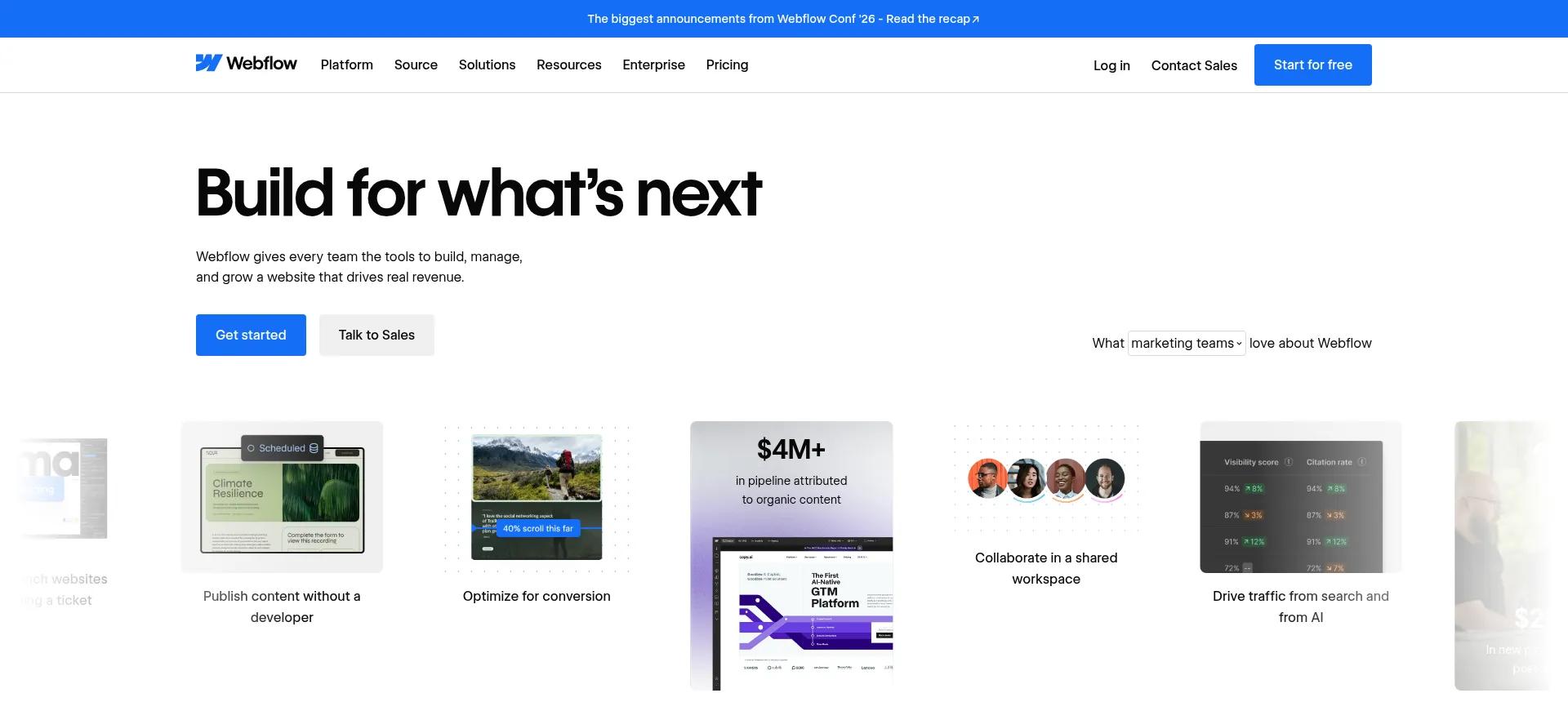
Webflow gives you a visual canvas with CSS-level control over layout, animations, and components. Martin, a VP of operations, praised its "cool designs and animation abilities." Its CMS also lets you build custom content types, like case studies, glossaries, or resource libraries.
Each content type gets its own fields. On the Premium plan, a site can hold up to 20,000 CMS items across 40 collections.
Ghost runs on themes. Changing layouts beyond theme settings means editing Handlebars templates. That's developer work.
Content is organized into posts, pages, and tags. One mid-market G2 reviewer put it: "You cannot customize much if you're thinking of using Ghost as a full-fledged CMS."
Bottom line: Webflow wins easily for design and structured content.
SEO
Both platforms cover the SEO basics. According to Ghost's SEO guide, it automatically creates an XML sitemap, adds canonical tags, and includes structured data in all posts and pages. That's a strong default for a blog that just needs to rank.
Webflow puts more in your hands. Its SEO features let you set meta titles and descriptions from CMS fields, publish 301 redirects, and add schema markup. That control matters more as a site grows past a simple blog.
Bottom line: Ghost is the easier SEO baseline. Webflow gives experienced marketers more control.
Newsletters, memberships, and monetization
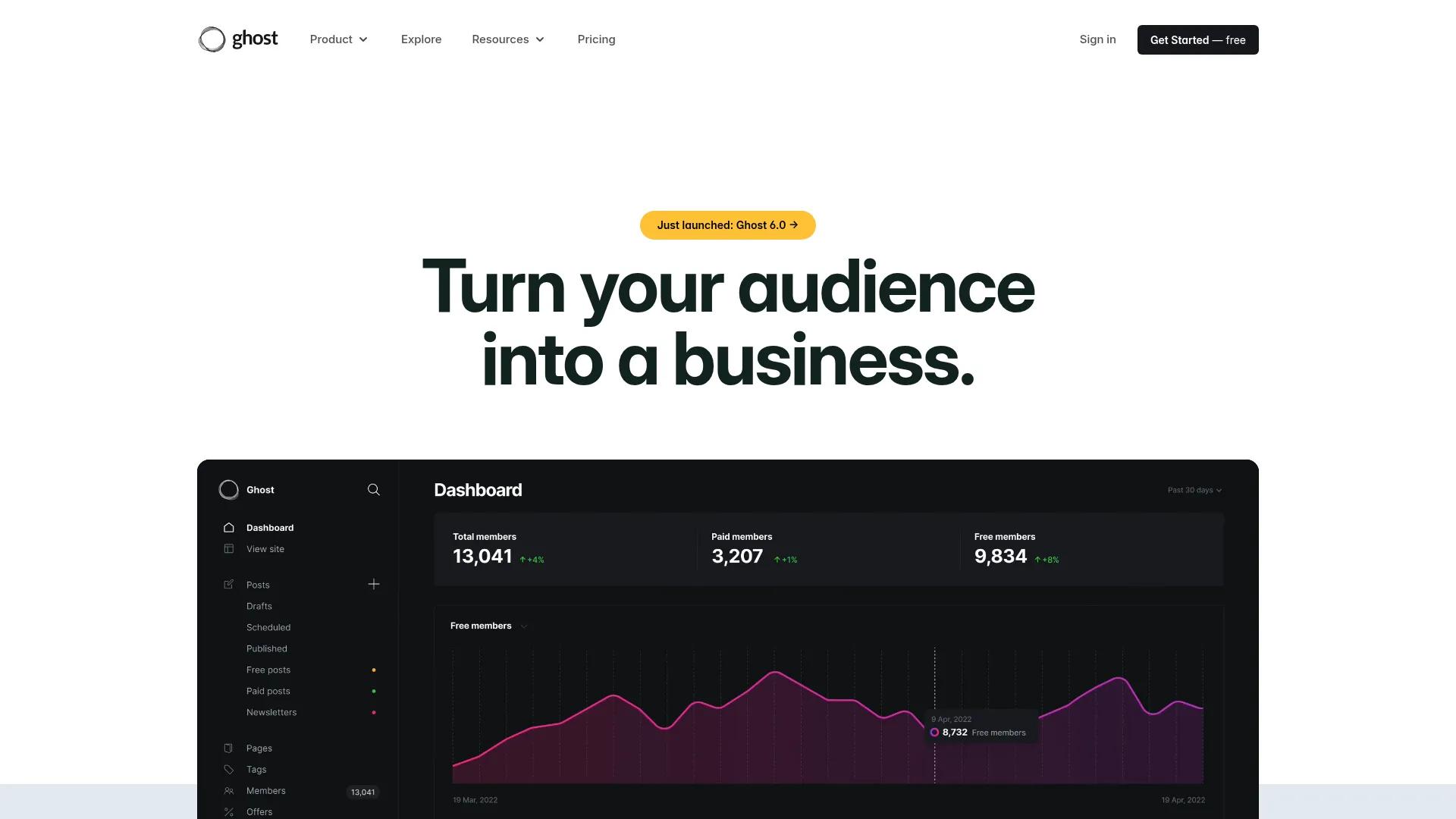
Monetization is where Ghost pulls furthest ahead. Newsletters, free and paid tiers, and payments through Stripe are all built in. Ghost says it takes a 0% cut of subscription revenue, though Stripe's processing fees still apply.
The model works at scale, too. Ghost reported in its 6.0 release notes that total publisher earnings have passed $100 million. Webflow has no native membership system. It deprecated User Accounts, and the feature was fully sunset on January 29, 2026.
Webflow now points users to partner tools like Memberstack and Outseta. You'll also need a separate email platform for newsletters.
Bottom line: Ghost wins decisively for monetized publishing.
Hosting, integrations, and ownership
Webflow is managed hosting only. You get a global content delivery network (CDN), SSL, and backups. You never touch a server, but your site can't run anywhere else.
Ghost offers managed hosting through Ghost(Pro), or you can self-host the open-source software for free. Self-hosting gives you full ownership, but servers, updates, and security become your job. Ghost 6.0 also added native analytics and social web distribution, so posts can be followed from platforms like Bluesky, Threads, and Mastodon.
Webflow fits more easily into a marketing stack of CRMs, analytics tools, and automation platforms like Zapier. Ghost's ecosystem is smaller but covers the common needs through Zapier and its APIs.
Bottom line: Ghost wins on ownership. Webflow wins on marketing-stack integrations.
Webflow Vs. Ghost: Pricing Compared
The prices below come from each vendor's pricing page as of September 2026, billed yearly. Both companies have changed their plans recently, so check the live pages before buying.
Webflow pricing
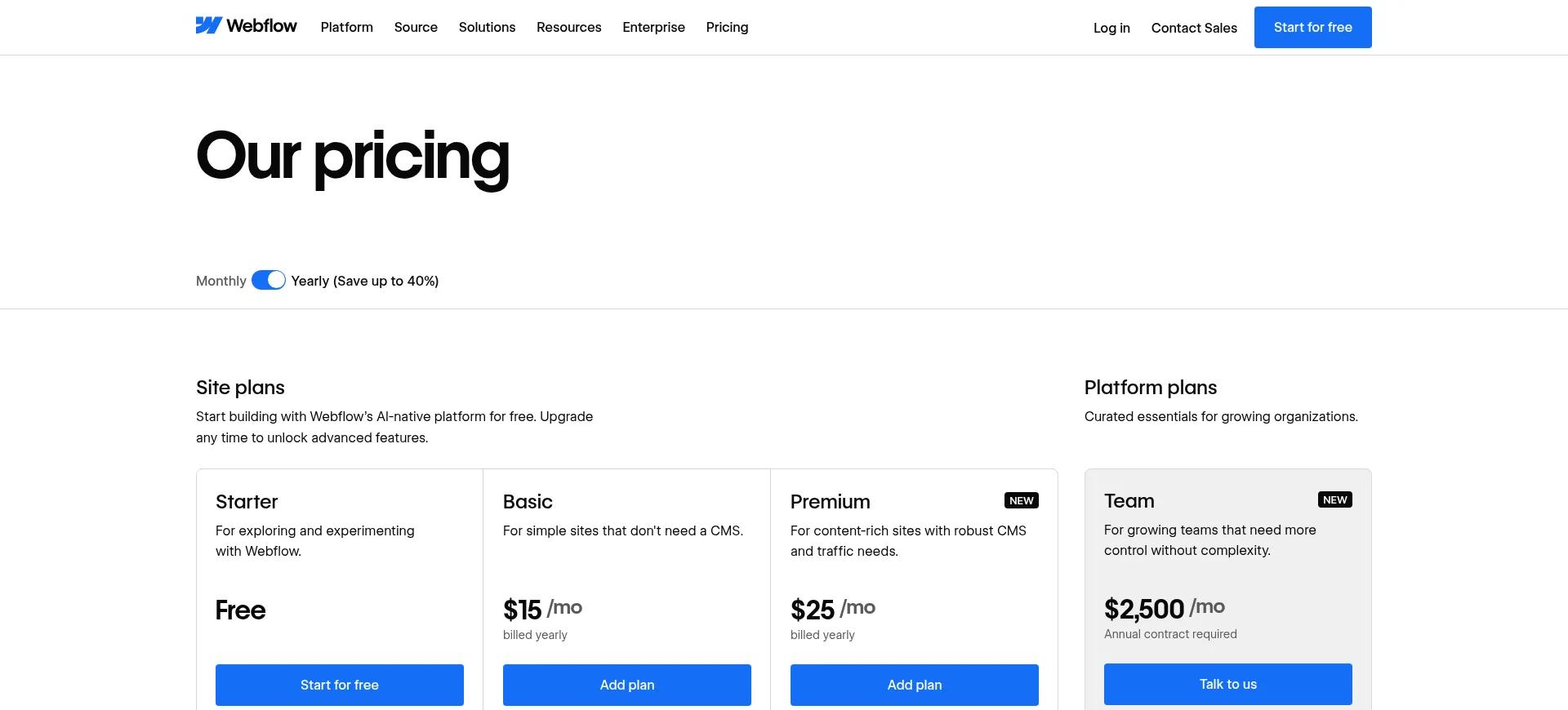
Webflow bills site plans and workspace plans separately. Site plans control what the site can do. Workspace plans control your team's seats and staging sites.
A blog needs the Premium plan at minimum, because Basic doesn't include the CMS.
Ghost pricing
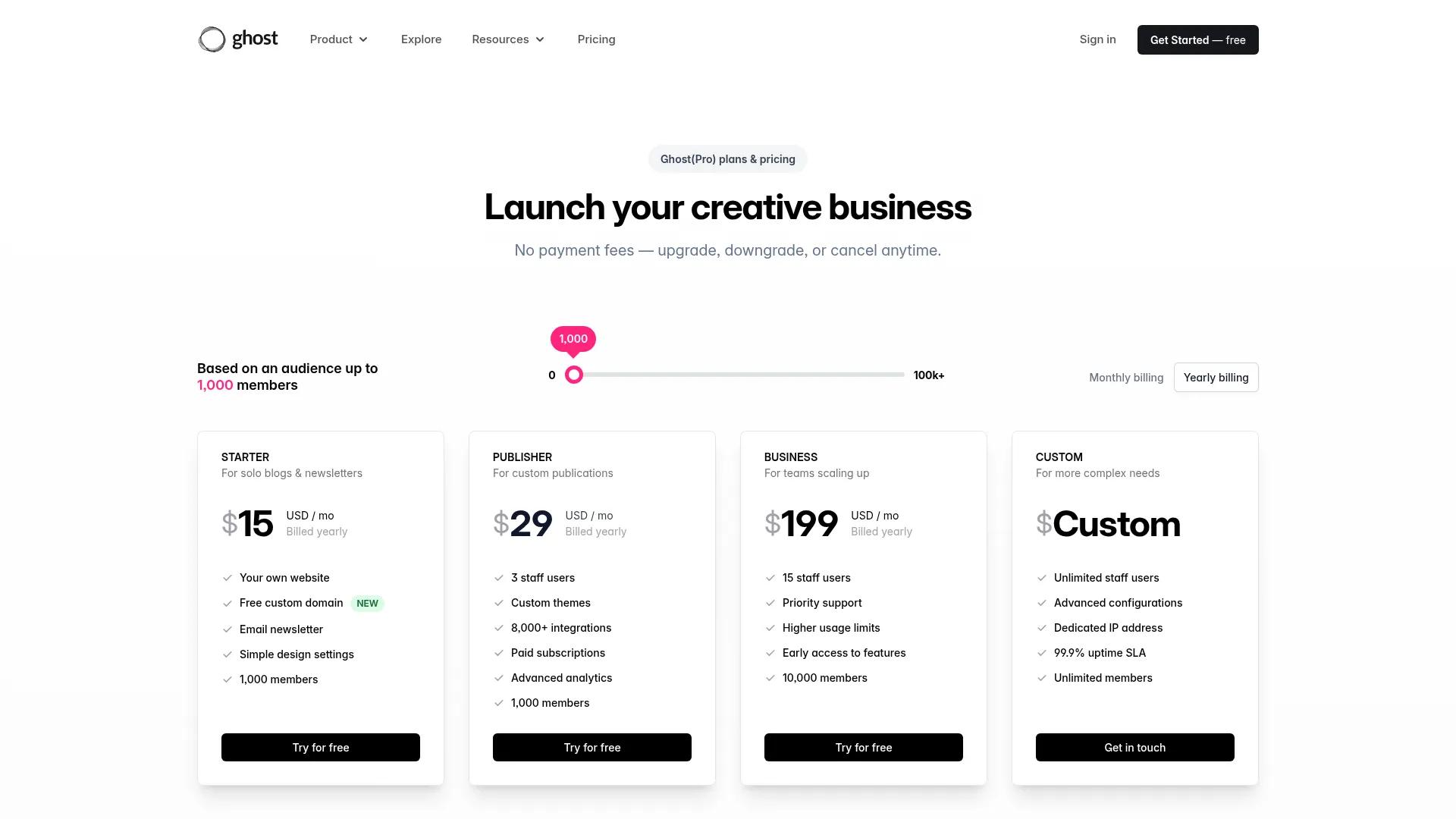
Ghost(Pro) pricing scales with your audience. The figures below assume up to 1,000 members. Prices rise as your member count grows, so check the pricing page against your list size.
What two common setups cost
A solo writer running a paid newsletter would pay $29 a month for Ghost Publisher. Everything is included. The same setup on Webflow starts at $25 a month for Premium, plus a membership tool and an email platform on top.
A small team running a marketing site with a blog looks different. Webflow Premium costs $25 a month, and paid workspace plans for staging sites and team features start at $19 a month. Ghost's Publisher plan covers three staff users for $29, but custom marketing pages would need developer time on a theme.
Bottom line: Ghost is cheaper for newsletter businesses. Webflow is better value for marketing sites.
Which Should You Choose? Scenarios, Hybrid Setups, And Switching
Here's how the choice plays out for a few common setups.
Solo writer building a paid newsletter
Pick Ghost. Paid tiers, email, and member management work on day one. You won't need any add-ons to wire up.
If you only need a free newsletter for now, the $15 Starter plan covers it. Move to Publisher when you're ready to charge.
Startup or SaaS marketing site with a blog
Pick Webflow. Landing pages, product pages, and the blog share one design system. Your marketing team can ship pages without a developer.
Agency building client sites
Pick Webflow. Clients get a polished, custom design, and editors can update CMS content without breaking the layout. The Growth workspace adds site-level roles and publishing permissions for client teams.
Media brand with memberships
Pick Ghost. Staff roles, scheduling, and native paid tiers match how an editorial team works. The Business plan adds 15 staff users and room for 10,000 members.
Running Webflow and Ghost together
Some teams use both. Webflow runs the main domain, and Ghost runs the blog on a subdomain like blog.yourcompany.com. The two can connect through embedded signup forms, Zapier or n8n workflows, or custom API code.
Keep one limit in mind. Ghost's documentation says its membership features are not compatible with headless setups. Paid subscriptions and content gating need Ghost's own front end, so they won't work if visitors only see Webflow.
Switching from one platform to the other
Teams move in both directions, toward Webflow for design control or toward Ghost to focus on writing. Either way, map every old URL to its new one with 301 redirects before launch. SEO fields like meta titles and descriptions don't transfer automatically, so plan to re-map them.
The final verdict
Ask one question. Is your goal to publish content, or to run a website that also contains content? Publishers should choose Ghost, and businesses whose website drives revenue should choose Webflow.
Publish To Webflow Or Ghost Without Manual Work
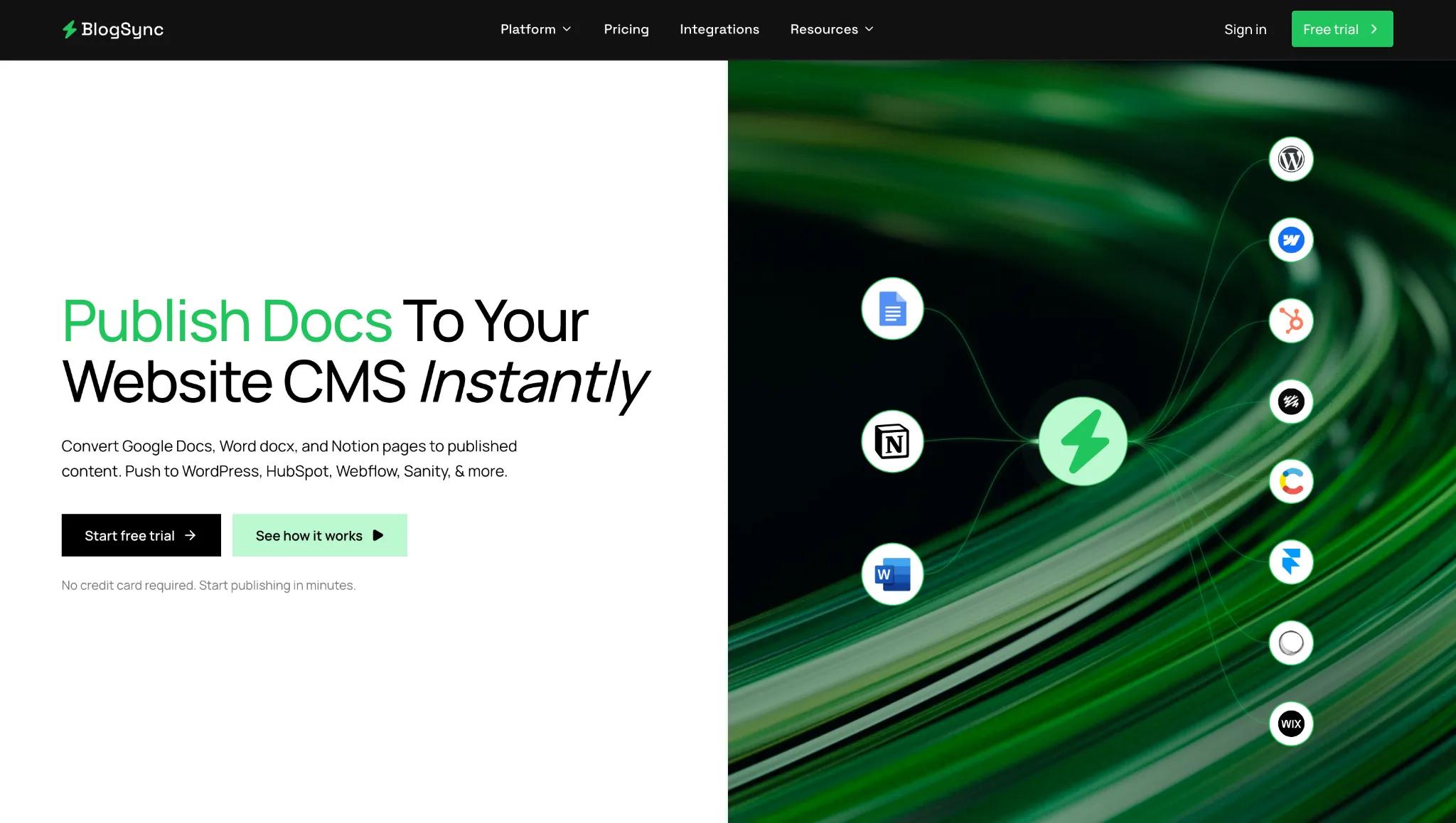
Whichever platform you pick, your writers probably still draft somewhere else. Getting that draft into Webflow's Rich Text fields or Ghost's editor means reformatting, re-uploading images, and writing alt text by hand. BlogSync estimates that manual work at 20+ minutes per document.
BlogSync removes that step. It publishes documents from Google Docs, Word, and Notion straight to Webflow or Ghost in one click. Headings and formatting stay intact, and images are converted to WebP with SEO-friendly filenames and AI-generated alt text.
It closes Webflow's biggest gap for writers, and it helps Ghost teams who still collaborate in Docs. It also fits a hybrid setup, because higher plans connect multiple CMSs to one account. Plans start with a free trial of three posts, then $10 a month for the Basic plan.
Frequently Asked Questions
Is Ghost better than Webflow for blogging?
For writing and publishing alone, yes. Ghost's editor, scheduling, staff roles, and built-in newsletters are designed around blogging.
Does Webflow have native newsletters or memberships like Ghost?
No. Webflow retired its User Accounts feature in January 2026. It now relies on partner tools like Memberstack and Outseta, plus a separate email platform.
Is Ghost free if I self-host it?
The software is free and open source. You'll still pay for a server, and you'll handle updates, backups, and security yourself.
Which is easier for non-technical writers to use?
Ghost is easier for writers. Its interface feels like a writing app. Webflow takes more time to learn, especially for anyone who touches page design.